Geofencing Attendance System: How It Works and Why It Matters for HR Teams
A geofencing attendance system addresses a challenge faced by every expanding company: how can you be sure that an employee was at the correct place? Consequently, more companies now use location verification for check-in, instead of paper registers or unverified mobile punches.
Manual tracking has become virtually impossible to accurately manage in remote job sites, hybrid field teams or multiple-branch retail chains. In the interim, HR managers are looking for a HR system that automatically confirms attendance instead of logging a claim.
What is a Geofencing Attendance System?
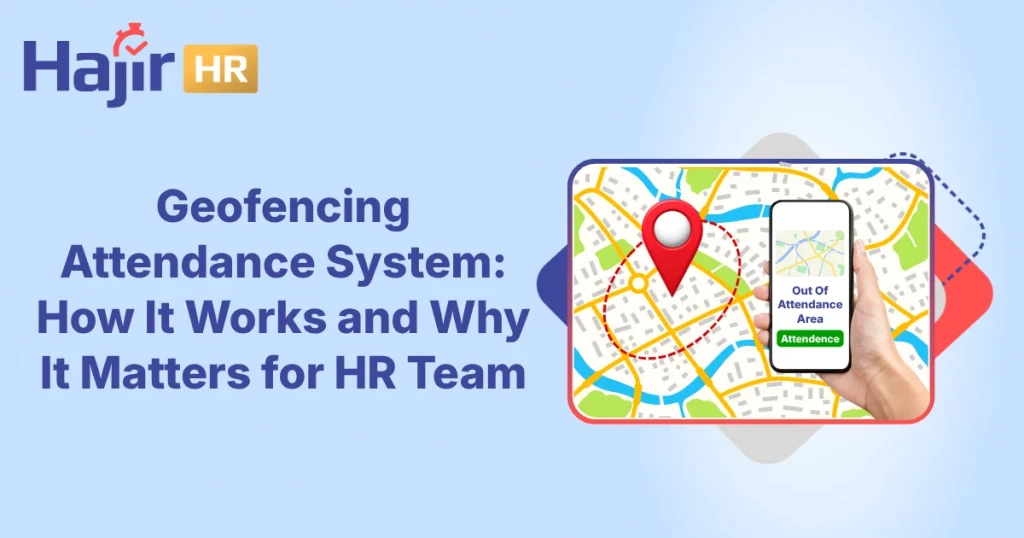
A geofencing attendance system restricts a physical work location to a virtual boundary, which can be defined by GPS, Wi-Fi, or cellular signal. The employee’s device then picks up if they enter or exit that boundary and automatically applies attendance actions to the system.
This system does not rely solely upon trust, as is the case with traditionalattendance systems.Rather, it checks the geo-location details before accepting any “punch”. As a result, managers get an accurate log that enables them to not only see when someone worked, but also where they worked from.
How a Virtual Boundary is Formed
During set up, an administrator simply draws the boundary directly on a map and the process can take just minutes per site. The radius is free to be adjusted in most platforms as every location has its own size and shape, and the appropriate coverage is given to both a small retail counter and a large warehouse.
Why Location Verification Matters More Than Trust
For trust-based systems to work, employees have to report on their status in an honest way, but that doesn’t hold true for large teams or dispersed teams. With location verification, the assumption is gone, as the device itself verifies location.
This means that employees and managers are accessing the same objective record and not having to debate what they think was actually recorded.
How A Geofencing Attendance System Works?
A geofencing attendance system works in a simple process, but the specifics determine its performance when it comes to real-life situations. In the following sections several steps of the process are broken down to show you exactly where accuracy is derived from.
Setting Up The Virtual Boundary For Geofencing Attendance
First, an administrator sets up a geofence around each work site on a map. This boundary could be a warehouse, construction site, retail store, or entire office campus. Most platforms also allow you to adjust the radius per location to suit different businesses.
Verifying Employee Location In Real Time
Once the boundary exists, the platform checks every check-in request against it instantly using live location tracking. When an employee’s device is inside the fence, the system will accept the punch immediately. If it is outside the boundary, the app will block submission or call it to manager attention. The verified time and location are recorded together on the platform, allowing payroll teams to rely on accurate information without having to perform manual cross verification.
What Happens When A Punch Falls Outside The Boundary
Handling the borderline cases is tricky as it can penalise an honest employee standing close to a weak signal zone if the signal is rejected. So, most systems put these punches in a “pending review” queue rather than deny them outright. Then the request is approved or denied within minutes by a supervisor, and true cases never turn into payroll disputes later.
Key Benefits Of Geofencing Attendance System
A geofencing attendance system provides so much more than just clock-in.Below are the positive aspects that are most important to developing groups.
Reduces Buddy Punching
This process is based on physical presence so that if one employee is marking someone else’s attendance, they cannot do so easily. This means that supervisors have less time to monitor the shift start line on-site.
Saves Time on Payroll Processing
Disputes over “was this person on-site?” significantly decline and HR teams complete payroll cycles more quickly. This means that there will be less work to correct data for the final pass.
Improves Real-Time Visibility
Managers can be assured of who has checked in and where, without having to wait until the end of the day to get a report. So, staffing deficits are identified and resolved on the same shift and not the following day.
Strengthens Compliance
Each entry has a time stamp and a location, making auditing or billing easier on project sites. As such, proof of presence is no longer verbal but recorded instead.
Cuts Administrative Overhead
Automated verification saves HR teams time from spreadsheet reconciliation and a chase for missing punches. Rather, that time is spent on more productive tasks.
Builds Trust Between Employees And Managers
The rules are applied to all equally, so this process is not seen as a battle in which you are the only one who needs to win. Likewise, an honest mistake on the part of an employee doesn’t bring about an employee’s arguments.
All these benefits make it understandable why this is becoming the standard for teams that are distributed.
Payroll Accuracy In Practice
When the location data is automatically integrated into payroll, HR teams no longer have to reconcile site logs with timesheets by hand. Instead, exceptions are popping up automatically, and supervisors are clearing them in minutes, not days. Hence, payroll is closed more quickly and finance teams don’t have to spend as much time tracking down corrections.
Common Features To Look For In Geofencing Attendance System
Feature | Why It Matters |
Multi-location geofences | Sites expand, rotate, and change often |
Selfie orQR Verification | Adds a second layer against proxy check-ins |
Offline capture with clean sync | Job sites often have weak connectivity |
Supervisor approval workflow | Exceptions need fast, clear decisions |
Audit trail for edits | Prevents silent changes and disputes |
Real-time alerts | Flags boundary breaches or missed punches early |
Payroll-ready exports | Saves hours of manual spreadsheet work |
Potential Drawbacks And How To Reduce Them
Just like any other system, there are some challenges that come with geofencing attendance systems. Knowing the common challenges beforehand will help you better understand that it doesn’t work out perfectly in every environment. This is important, too, because it makes the implementation go more smoothly, as supervisors and employees are aware of what to expect from day one.
GPS Accuracy And Boundary Edge Cases
In some cases, GPS signals bounce around near tall buildings or inside large industrial facilities, providing incorrectGPS locationat the perimeter of a geofence. So it’s only fair to establish limits with a margin of safety rather than a sliver-thin margin. In the same way, a “pending review” status for borderline punches would be more effective than a hard punch rejection, allowing supervisors to verify immediate punch cases easily.
Employee Privacy Concerns With Geofencing Attendance
Employees may be resistant to this type of tracking if they’re not aware of how it works because they may feel it is intruding into their personal space. But while this is a worry, it is reduced when businesses only record location when someone checks-in or checks out and not throughout the day. Transparency is also important here: If employees are aware of what data the system collects and why, they are more likely to adopt it.
The Hidden Risks of Fake GPS Check-Ins
If not properly monitored, users attempt to spoof their location with a small number of apps, thus adversely affecting the accuracy. To resolve this problem, a number of platforms now use a second step such as a selfie check-in or a supervisor approval step to help complete the process without slowing down the rest.
How Hajir HRM Simplifies Location-Verified Attendance
Hajir HRM integrates location tracking into its main platform, eliminating the need to install an additional location tracking solution. Employees register in the mobile application and within seconds the system checks what part of the site they are located in. Once the record is made, it’s automatically transferred to other modules likeattendance and payroll, eliminating manual data reconciliation for HR teams.
What Managers Get
Managers have real-time access to a live dashboard that provides the information about who and where they are at each site. Exceptions appear at the time, rather than at the end of the month, and are cleared from the supervisor’s phone without having to open up a separate tool.
Therefore, decisions are made the same day, such as transferring staff members, or marking a no show, rather than being delayed after a report is made.
What Employees Get
For employees, the process remains streamlined and straightforward: they simply tap, verify and never feel like they’re constantly being monitored because the app only checks location at check-in.
Since Hajir HRM starts at the ground level with distributed and multi-site teams, it also takes care of the exceptions that simpler tools simply can’t manage, such as punctuation that falls in a buffer zone, capturing off-line in low-connectivity areas, and supervisor-approved punches that happen on the edge of the time frame.
Bring Verified Attendance To Every Site With Hajir HRM
Eliminate lost paper registers and unconfirmed check-ins. Hajir HRM’s geofencing attendance allows you to access location verified punches, real time visibility and payroll ready data all on one platform.
Book a free demo withHajir HRM today and experience the ease of having an accurate location based attendance tracking system for your team.
FAQ:
Yes, in general, but accuracy will vary based on boundary design and the physical environment. The actual results obtained using the system when it is integrated with a buffer zone and a review workflow for cases that fall on the edge of the buffer zone are satisfactory.
Some may attempt to use spoofing apps, but most platforms mitigate this threat with a second verification step (a picture of the selfie for example) and by flagging for manager review unusual activity.
Offline capture and synced once connectivity is restored, such as with Hajir HRM, ensures reliability even in low network areas, like basements or remote locations.
Not exactly, as the two address different problems. Geofencing confirms location, biometrics confirm identity; many businesses integrate the two for the ultimate level of accuracy.
Yes, most platforms allow for multi-location check-in, so while a field rep or service technician may clock in and out at each location, no manual switching is required. It's ideal for sales, service and delivery personnel who aren't in a single location all day.
Know more about HajirHR. Your All in one HR software.
Get started now!
Recent Post